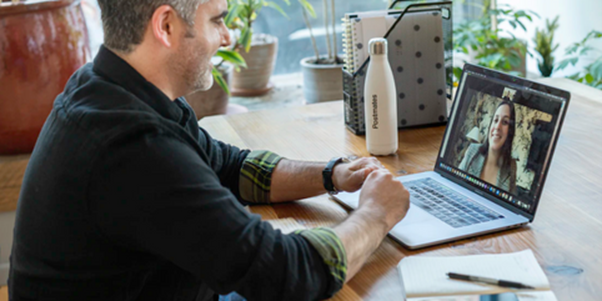
Just because your interview is virtual doesn’t mean you shouldn’t prepare. Ensuring you’re familiar with the basics isn’t enough. Find out how to perfect your video interview.
Although most companies are returning to the office, video interviews are still the norm. Many of our clients utilise video interviews for stage one of the interview process. Nailing the first stage is key to getting through to your in-person interview and even for getting the job offer. Treat virtual interviews with the same importance as face-to-face ones. Let’s start with the basics…
Technical Tests
This step is essential. It is the most basic measure, but it is crucial. Follow the steps below to save any technical embarrassment.
- Test your connectivity: Slow internet can cause video chats to lag in sound and video.
- Check your audio: Make sure your microphone can hear you correctly and that you can hear any audio clearly.
- Full battery: Charge your smartphone, tablet or laptop to 100%. If you’re worried about charge, ensure you sit near a wall with a plug. This way if you’re losing charge or the interview continues for longer than expected, the wire is handy.
- Check your camera: Ensure your camera is clear and can see you correctly. Positioning is key.
- Learn the video platform: Log in before your interview and ensure you know how to manoeuvre the platform. Your interviewer may ask you to share your screen or take control, make sure you know how to do actions like this.
- Final test: For total preparation, you could call your friend on the software and ensure everything will run smoothly on your end.
Preparation
Now that the technical checks are done, preparing for the interview itself is next. Luckily, the interview is online, so you don’t need to check the commute to the location. Step one is to research the company. Find out about the company values, when it was established and why, and what the business offers.
Next, research the role itself. This is even more crucial if it is a promotion above your current position. Study the job specification and ensure you can answer any questions about this.
Finally, prepare for any questions the interviewer may ask. The questions an interviewer will ask are role, company and personality specific. Begin by practising common interview questions and keep an open mind for random ones. Some interviewers will ask off-topic questions for a personality check and to see if you would fit in with the current workforce.
Think of a question to ask the interviewer at the end. This could be about the role itself, the organisation or even the interviewer. Questions may pop into your head as the interview flows or you can find a list here.
Clothing Matters
Dressing to impress is just as important online as it is in person. Like other aspects, the way you dress will communicate how serious you are about making an impression, and subsequently the role itself. Plan a nice outfit in advance (note the word outfit).
It’s also a good idea to check what your outfit will look like on camera. Check the colour doesn’t look abnormal. Also, check any lower necklines aren’t inaccurately represented.
Other considerations
- Choose your space wisely. Sit in front of a clear, clutter-free background. Make sure you’re comfy where you’re sitting. Don’t sit too far away or too close to the camera.
- Try to minimise interruptions by planning.
- Show up early.
- Use body language and gestures to show your engagement.
If you want to access more free advice like this, check out Square Peg Associates’ other resources. Available for both candidates and clients.
For more information, contact Square Peg Associates. Whether you’re looking for a permanent role or a temporary position, help is available. You can browse their positions here and upload your CV. You can also contact them directly.
For more member news, click here.